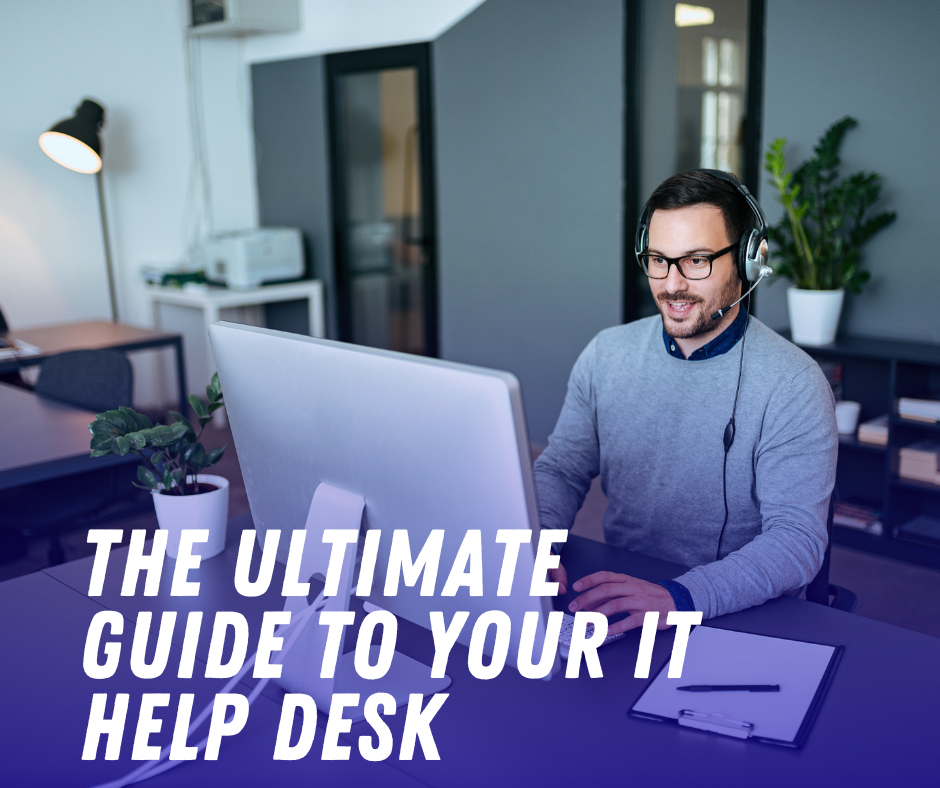
Stop the Frustration: The Ultimate Guide to Your IT Help Desk, Your Unstoppable Tech Lifeline
The Critical Costly Mistakes That Plague Your Business (And How a Powerful IT Help Desk Eliminates Them)
In the fast-paced digital world, technology isn’t just a tool; it’s the engine of your business. When that engine sputters—a forgotten password, a slow system, an email outage—productivity doesn’t just dip, it comes to a grinding halt. The cumulative effect of these small failures represents a massive, often hidden, costly mistake for any organization.
This is where the IT Help Desk steps in, not just as a reactive fix-it service, but as a strategic, proactive pillar of business continuity. It is the crucial, human-powered interface between your employees and the complex web of hardware, software, and networks that power your daily operations. A truly optimized help desk doesn’t just answer tickets; it provides the essential support that keeps your team moving, ensures data security, and transforms user frustration into seamless workflow.
This comprehensive guide will unlock the true potential of the IT Help Desk, covering its core function, its critical benefits, the dangerous pitfalls of poor support, and the ultimate strategies for turning your help desk into an unrivaled asset.
The Terrifying Threat of Downtime: Why Every Second Counts
Downtime—the moment an employee is unable to work due to a technical issue—is an absolute killer of productivity. Whether it’s 30 seconds waiting for a simple password reset or an hour troubleshooting a failed peripheral, those lost moments secretly chip away at your bottom line.
A single help desk ticket that takes too long to resolve doesn’t just affect one person; it creates a ripple effect. Delays can halt projects, miss deadlines, and, in client-facing roles, shatter trust. The sheer volume of technical issues that arise daily, from the trivial to the catastrophic, necessitates a centralized, efficient system for management and resolution.
The core goal of a professional IT Help Desk is to minimize this downtime. They act as the first line of defense, using defined processes, specialized tools, and a centralized ticketing system to categorize, prioritize, and resolve issues with lightning speed. By adopting a structured approach, the help desk ensures that an entry-level printer issue doesn’t tie up a senior system engineer, keeping the entire IT operation agile and effective.
Guaranteed Success: How an Exceptional Help Desk Elevates Your Entire Organization
The benefits of a high-functioning IT Help Desk go far beyond simply fixing broken things. They are the engine of a positive internal culture and a key driver of operational excellence.
1. Exponential Productivity Gains
When employees know exactly where to go for help and trust that their issue will be resolved quickly, they spend less time troubleshooting and more time on their core tasks. A self-service portal stocked with powerful knowledge base articles further empowers them to solve common issues instantly, leading to massive gains in overall efficiency.
2. Fortified Security & Compliance
The help desk is often the gatekeeper for security policies. They manage account access, enforce strong password protocols, and respond to potential security alerts like suspicious emails or unauthorized access attempts. This vigilant role is essential for defending against ever-present cyber threats and maintaining regulatory compliance.
3. Strategic IT Insight
Every ticket logged in the help desk system is a piece of invaluable data. By tracking trends—such as recurring hardware failures, specific software bugs, or spikes in password reset requests—the help desk provides the strategic IT leadership with the definitive evidence needed to make proactive, informed decisions. This transforms the help desk from a reactive cost center into a crucial source of business intelligence.
4. Unrivaled User Experience
Happy employees are productive employees. A positive help desk interaction can transform a frustrating problem into a positive support experience. Fast, courteous, and effective service boosts internal customer satisfaction, making employees feel valued and supported. This positive sentiment is critical for employee retention and overall morale.
The Proven Path to Help Desk Mastery: Tools and Tactics
To deliver this level of unparalleled service, an IT Help Desk relies on several foundational components:
Ticketing System: The central hub for all support requests, ensuring no request is forgotten. It allows for tracking, prioritization (e.g., classifying a system outage as “Critical” vs. a non-urgent request as “Low”), and detailed history logging.
Knowledge Base: An internal wiki or repository of solutions, FAQs, and step-by-step guides. This allows agents to find solutions rapidly and users to solve problems via self-service.
Remote Support Tools: Software that allows technicians to securely connect to a user’s machine to diagnose and fix issues without a physical presence, leading to immediate resolution.
SLAs (Service Level Agreements): Crucial internal metrics that define the expected speed and quality of service (e.g., Critical issues must be acknowledged within 15 minutes and resolved within 4 hours).
Implementing and continually refining these tools is the undeniable secret to achieving help desk mastery and delivering an exceptional internal service experience.
FAQs: Your Urgent Questions Answered
Q1. What is an IT Help Desk?
The IT Help Desk is a centralized resource within an organization that provides technical support and assistance to users (employees or customers) with their IT-related issues. It serves as the single point of contact for troubleshooting hardware, software, network, or system problems. Its primary goal is to resolve incidents and fulfill service requests efficiently to restore service and minimize disruption.
Q2. What is the difference between a Help Desk and a Service Desk?
This is a common point of confusion. While often used interchangeably, the technical difference is:
Help Desk: Traditionally reactive. Focuses on “break-fix” issues (e.g., “My computer is broken,” “I can’t log in”). It concentrates on Incident Management.
Service Desk: Strategic and proactive. It’s a broader function encompassing all IT services. It handles incidents, service requests (e.g., “I need a new laptop”), and acts as the central hub for other ITIL processes like Change Management and Asset Management. The Service Desk focuses on the entire IT service lifecycle. In modern organizations, most “Help Desks” function as an all-encompassing “Service Desk.”
Q3. What are the most common issues an IT Help Desk handles?
Based on industry data, the absolute most common issues include:
Password Resets/Account Lockouts: Often cited as the single most frequent ticket type.
Connectivity Issues: Problems with Wi-Fi, VPNs, or network access.
Slow Performance: System speed issues, freezing applications, or slow boot times.
Printing Problems: Printer jams, driver issues, or network printer configuration.
Software Errors: Application crashes, update failures, or installation issues.
Peripheral Support: Problems with monitors, keyboards, or docking stations.
Q4. Why is a self-service portal so crucial for the Help Desk?
A self-service portal is critical because it empowers users to resolve their own issues 24/7 without needing an agent, leading to a massive reduction in support volume. By diverting common requests like password resets and simple how-to questions, the portal frees up IT staff to focus on more complex and urgent technical issues, significantly improving overall resolution times and efficiency.
Q5. What is ‘first-call resolution’ and why is it important?
First-call resolution (FCR) is a key metric that measures the percentage of support incidents resolved during the user’s initial contact (e.g., the first phone call, chat session, or email response). FCR is vital because it directly correlates with higher user satisfaction, lower operational costs, and improved agent efficiency, as it prevents the need for follow-up and ticket escalation.
Q6. What makes an IT Help Desk truly SEO-friendly?
For an internal knowledge base, “SEO-friendly” means ensuring the content is easily searchable and discoverable by employees using internal search functions (often called “enterprise search”). This involves:
Using clear, common terms that users would type (e.g., “VPN not connecting” instead of “Remote Access Tunnel Failure”).
Structuring articles with clear headings (H1, H2, H3) and bulleted lists.
Tagging content accurately. For an external blog (like this one), it means using relevant keywords (IT Help Desk, Service Desk, technical support), building authority through quality content, and ensuring the content is well-structured and long enough to be deemed comprehensive by search engines.
Visit: Burrak Payments